Most companies buying employee management software make the same mistake — they pick the tool that looks best in a demo, not the one that fits where they actually are.
I’ve sat across the table from dozens of founders and HR leads who’ve done this. And almost every time, the regret hits around month 14 — right after a painful migration, a data loss incident, or a six-figure implementation bill they weren’t expecting.
This employee management software comparison is built to prevent exactly that. By the end, you’ll know which system — HRIS, HCM, or Payroll Suite — actually makes sense for your company’s size, growth stage, and budget. No fluff. No vendor favoritism.
What “Employee Management Software” Actually Means
Before we compare systems, let’s get clear on what we’re actually talking about.
Employee management software is the infrastructure that handles everything from the moment someone joins your company to the moment they leave — hiring, onboarding, payroll, performance, compliance, and exit. Think of it as the operating system for your people function.
Here’s the thing most explainer articles get wrong: they treat HRIS, HCM, and payroll software as interchangeable categories on a feature checklist. They’re not. They’re fundamentally different tools built for different problems at different company stages.
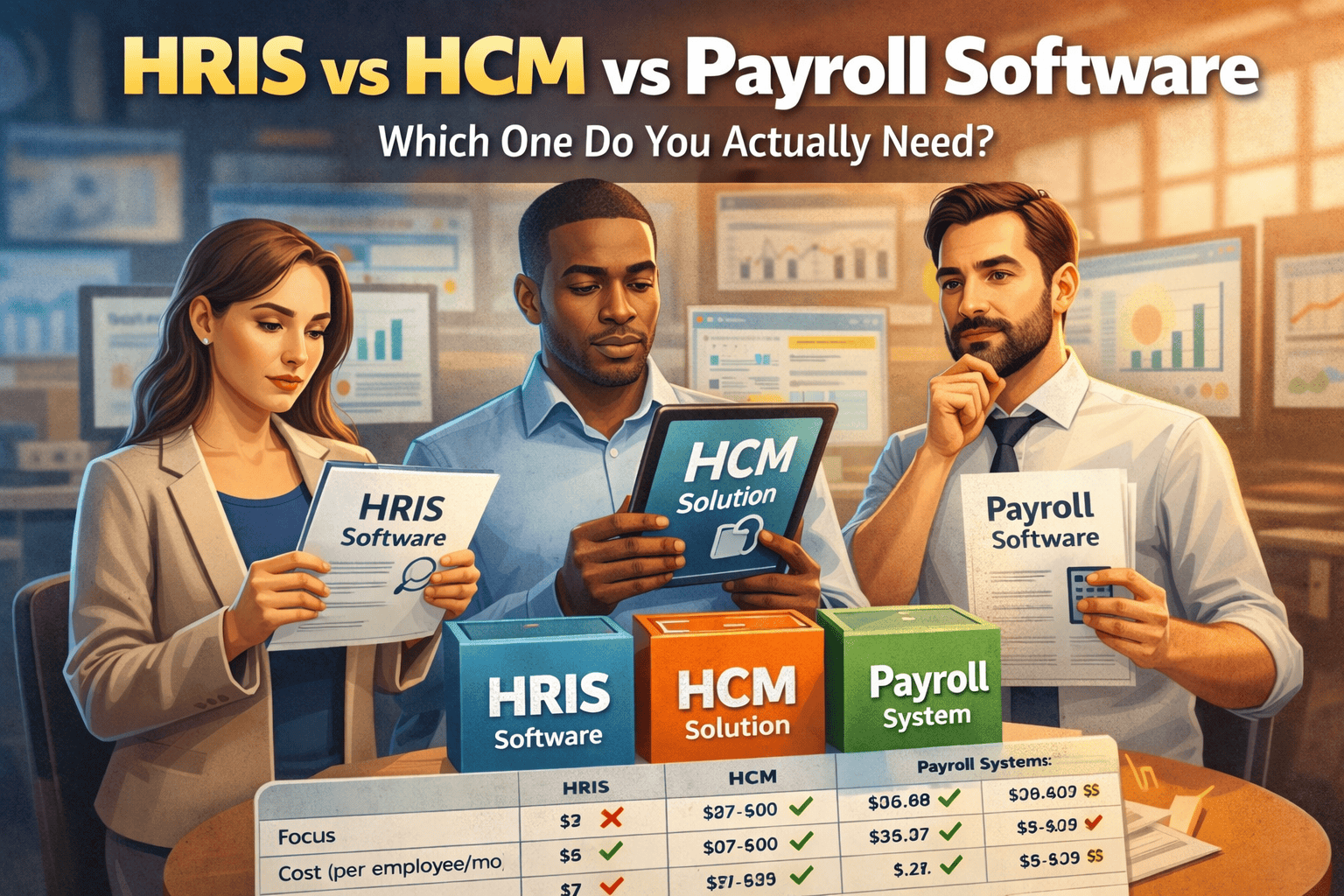
HRIS is your foundation. HCM is your growth engine. Payroll software is a utility. Getting the sequence wrong is expensive.
HRIS vs HCM vs Payroll: The Real Differences
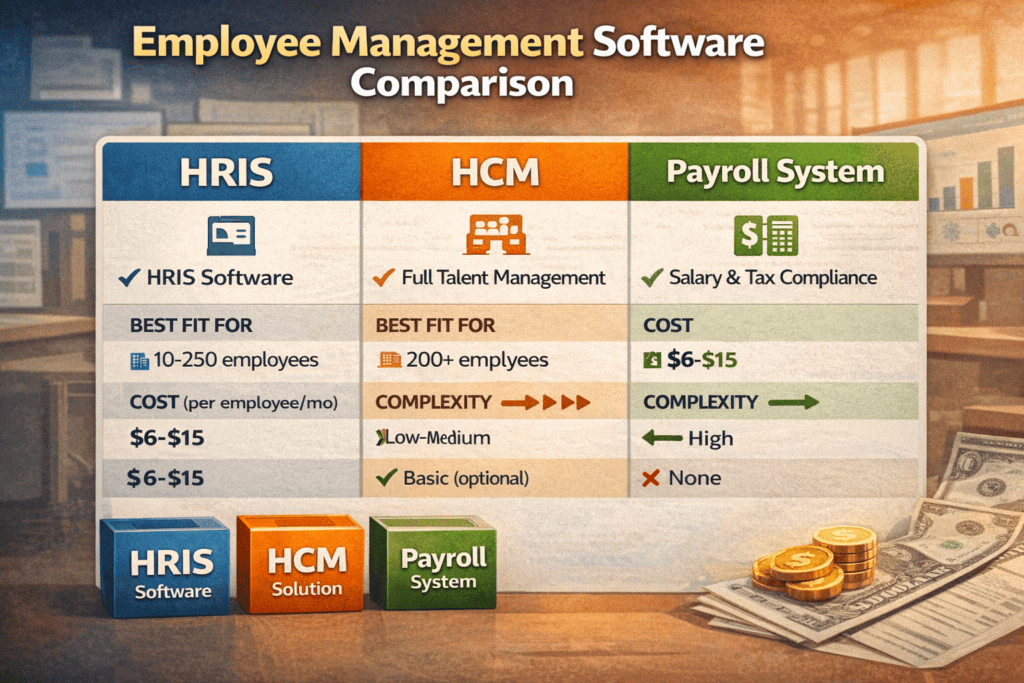
Here’s a clear breakdown before we go deep on each:
| Feature | HRIS | HCM | Payroll Suite |
|---|---|---|---|
| Primary Focus | Employee records & HR ops | Full talent lifecycle management | Salary processing & tax compliance |
| Best For | Teams of 10–250 | Organizations of 200+ | Teams under 50 |
| Complexity | Low–Medium | High | Low |
| Cost (per employee/mo) | $5–$15 | $20–$60 | $2–$10 |
| Talent Management | Limited | Advanced | None |
| Analytics & Reporting | Basic | Strategic dashboards | Minimal |
| Scalability | Moderate | High | Low |
| ATS / Recruiting | Basic or add-on | Built-in full pipeline | Not available |
The short version: if you need structure, use HRIS. If you need strategy, use HCM. If you just need to pay people on time, use payroll software — but plan your upgrade timeline carefully.
What Is HRIS — And Who Should Use It?
An HRIS (Human Resource Information System) is your central employee database — and for most companies under 250 people, it’s genuinely all you need.
Think of it as “Excel on steroids with compliance baked in.” You get clean employee records, automated leave tracking, attendance management, document storage, and basic payroll integration — without the complexity or cost of an enterprise HCM platform.
Core HRIS capabilities in 2026:
- Centralized employee records and org charts
- Leave and attendance management
- Onboarding workflows and document storage
- Basic payroll processing or integration with payroll tools
- Compliance tracking (FMLA, ADA, local labor law alerts)
- Basic HR reporting (headcount, turnover rate, absenteeism)
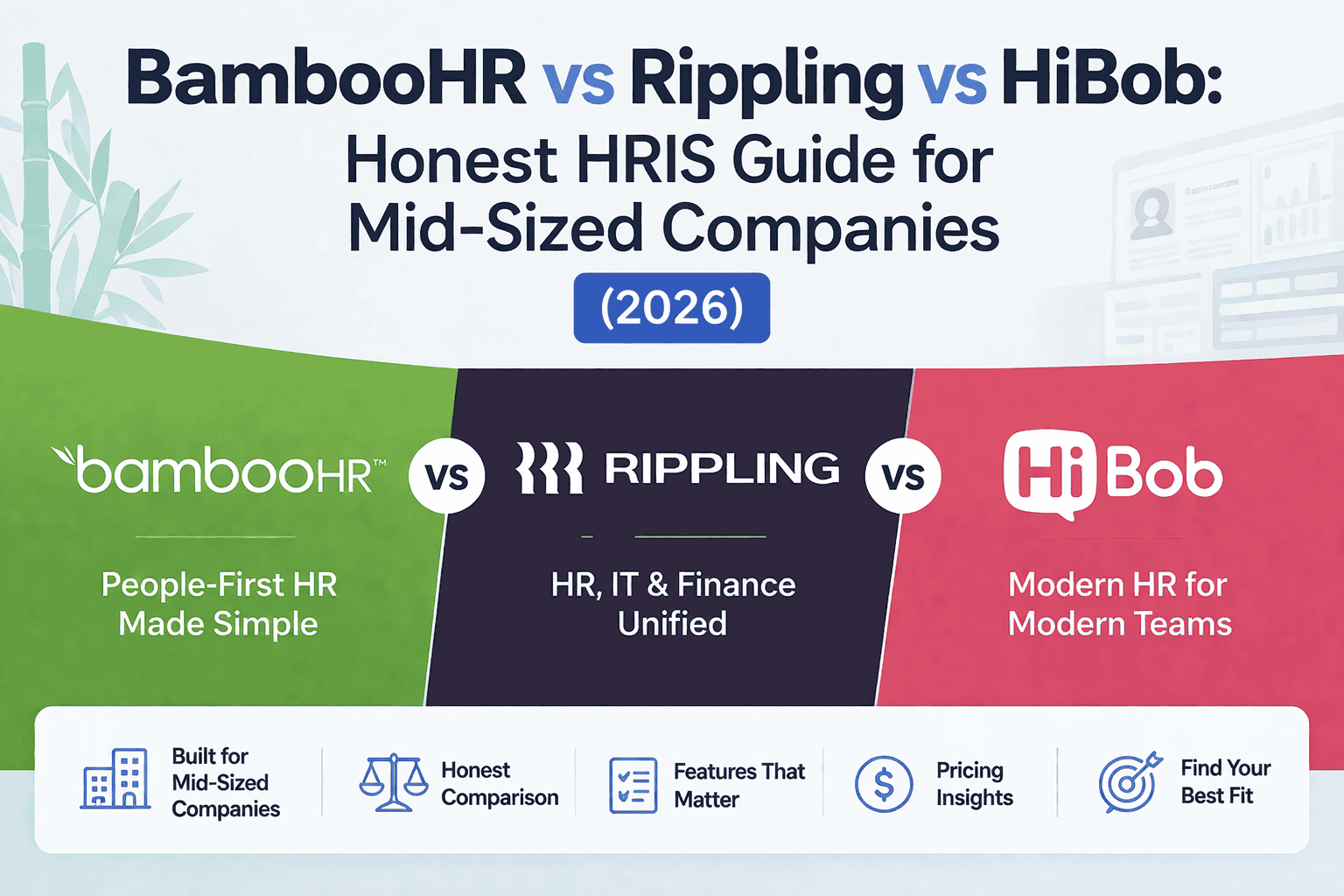
Popular HRIS tools include BambooHR, Zoho People, Darwinbox (strong in India), and Personio (dominant in Europe).
HRIS is the right call when:
- Your headcount is between 10 and 250
- Your HR team is small — one to three people, or even a founder handling HR themselves
- You need process discipline more than strategic workforce analytics
- You want something your team will actually adopt (HRIS tools tend to have better UX than enterprise HCMs)
Look, most early-stage companies overestimate what they need. A well-configured HRIS with clean data and consistent processes will serve you better than a half-used HCM that nobody has time to manage properly. Don’t let a vendor upsell you on features you’re not ready for.
What Is HCM — And When Does It Become Necessary?
HCM (Human Capital Management) is where HR software becomes a strategic business tool rather than an admin system.
It covers everything HRIS does — and then goes several layers deeper into talent strategy, workforce planning, and organizational intelligence. If you’ve crossed 200 employees and your CHRO is asking questions like “What’s our time-to-fill for senior roles?” or “Where are our retention risks?”, you’re ready for HCM.
HCM capabilities that go beyond HRIS:
- Full Applicant Tracking System (ATS) with sourcing analytics
- Performance management (OKRs, 360 reviews, continuous feedback)
- Learning & Development (LMS integration or built-in)
- Succession planning and talent pipeline mapping
- Compensation benchmarking and total rewards management
- Workforce analytics and predictive attrition modeling
Workday, SAP SuccessFactors, Oracle HCM, and UKG Pro are the dominant platforms in this space. For mid-market companies, Rippling and Lattice offer strong HCM-adjacent capabilities at a lower implementation barrier.
Move to HCM when:
- You’re scaling past 200–300 employees with no sign of slowing
- Recruiting is constant and uncoordinated — you need pipeline visibility
- Retention is becoming a real cost (replacing a mid-level employee costs 50–75% of their annual salary)
- Your leadership team wants data to drive decisions — not gut instinct
Here’s the brutal truth that most blog posts won’t say: the average company upgrades to HCM 12–18 months too late. By that point, employee data is fragmented across spreadsheets, Slack messages, and three different tools that don’t talk to each other. The cleanup cost alone can exceed the software budget for the first year.
What Are Payroll Suites — And What They Can’t Do
Payroll software has one job: make sure employees get paid correctly and on time, with full tax compliance.
It does that job well. Tools like Gusto, ADP Run, QuickBooks Payroll, and Razorpay Payroll (India) are reliable, affordable, and easy to set up. For a 20-person team where payroll is the only HR complexity, a payroll suite is a perfectly rational choice.
What payroll suites handle:
- Salary and wage calculations
- Tax withholding and compliance filings (federal, state/local in the US; TDS, EPF, ESIC in India)
- Payslip generation and employee self-service
- Direct deposit and payment scheduling
- Basic contractor and freelancer payments
What they don’t handle — and this matters:
- Employee lifecycle tracking beyond pay
- Performance reviews or goals
- Hiring workflows or candidate tracking
- Absence and leave management beyond statutory requirements
- Any meaningful HR reporting
The hidden limitation? Payroll suites don’t scale with organizational complexity. The moment you hit 50 employees and start managing performance, tracking PTO across teams, and running structured hiring — you’ll hit a wall. Plan for that transition, or you’ll be doing it in a hurry.
Real Scenario: The Cost of Choosing Wrong
A 120-person SaaS startup — let’s call them Series B, growing fast — chose a payroll-first system when they were 40 people. It made sense at the time: low cost, quick setup, solves the immediate problem.
By the time they hit 120 employees, here’s what they were dealing with:
- Performance reviews happening in Google Docs, with no historical data
- Hiring managed via a shared Notion board and email — no pipeline visibility for the leadership team
- Employee data split across the payroll tool, their ATS, a separate onboarding tool, and the original spreadsheet nobody deleted
When they finally migrated to an HCM platform, the implementation took four months. They lost two years of performance data that wasn’t in a compatible format. The total cost — implementation fees, consulting, and downtime — ran to roughly 2.5x what they’d have spent just buying the right HRIS two years earlier.
Short-term savings created long-term chaos. It almost always does.
The Smart Decision Framework (Use This Before You Buy)
Stop asking “which software is best?” That’s the wrong question. Ask instead: “What does my company actually need for the next three years?”
Here’s a four-step framework to get there:
Step 1 — Size Today and in 36 Months
- Under 50 employees now, under 150 in three years → Payroll + lightweight HRIS
- 50–250 employees, steady growth → HRIS with upgrade capability
- 200+ employees, rapid scaling → HCM from the start
Step 2 — Hiring Velocity
- Fewer than 10 hires per year → HRIS handles it
- 20+ hires per year, multiple open roles → You need a proper ATS, which means HCM or a strong HRIS-plus-ATS stack
Step 3 — Compliance Complexity
- US companies with multi-state employees, or Indian companies managing PF/ESIC/gratuity at scale — you need more than payroll
- Multi-country operations → HCM with global payroll support is non-negotiable
Step 4 — What Leadership Expects from HR
- If HR is seen as admin support → HRIS
- If HR is expected to drive retention strategy and workforce planning → HCM
One more pro tip from the field: always ask the vendor, “What does implementation actually look like at our company size?” The honest answer will tell you more than any feature comparison chart.
What Vendors Don’t Tell You About Pricing
The per-employee-per-month pricing you see on vendor websites is the starting point of the conversation, not the end.
HRIS: $5–$15 per employee per month. Sounds affordable — and it is, until you factor in implementation support, integration with your existing payroll or ATS tool, and the annual price increase that almost always comes in year two.
HCM: $20–$60 per employee per month, with enterprise tiers going higher. Here’s what vendors bury in the fine print — implementation for a 300-person company on Workday or SAP SuccessFactors can cost $150,000 to $400,000 before your first payroll runs. That’s not a typo.
Payroll suites: $2–$10 per employee per month. Genuinely affordable, but the add-on costs stack quickly — benefits administration, time tracking, integrations with your HRIS all come with fees.
The real cost model to use: calculate total cost of ownership over 36 months, not monthly subscription fees. Include implementation, training, integrations, and projected headcount growth. That number changes the math significantly.
Common Mistakes Companies Make When Buying HR Software
Choosing based on price alone. A $3/employee/month payroll tool sounds great until you’re paying $80,000 to migrate off it two years later.
Ignoring integration requirements. If your HR software doesn’t connect to your accounting system, your ATS, and your time-tracking tool — you’ve just created manual work. Ask every vendor for their integration list on day one.
Overbuying for your current stage. An HCM platform for a 30-person team is like buying a fleet management system for one car. You’ll pay for features nobody uses and overwhelm your small HR team with complexity they don’t need yet.
Not thinking three years ahead. Software that works for 50 people often breaks down at 200. Ask vendors directly: “What does migration look like when we outgrow this tier?”
Underestimating data migration pain. Every system stores data differently. When you switch platforms, historical data — performance reviews, salary history, attendance records — often doesn’t transfer cleanly. Plan for this, budget for it, and back everything up before you sign a new contract.
FAQs
What is the main difference between HRIS and HCM?
HRIS is primarily a record-keeping and operational system — it stores employee data, tracks leave, manages onboarding, and handles basic payroll. HCM goes further, covering the full employee lifecycle: recruiting, performance management, learning and development, succession planning, and strategic workforce analytics. Think of HRIS as the foundation and HCM as the full house built on top of it.
Can payroll software replace an HRIS?
No — and trying to make it do so is one of the most common mistakes growing companies make. Payroll handles compensation and tax compliance. HRIS manages employee data, workflows, onboarding, compliance tracking, and organizational structure. They solve different problems. Many companies run both together, with payroll feeding into the HRIS rather than replacing it.
When should a company move from HRIS to HCM?
The transition typically makes sense when you cross 200 employees, when hiring becomes a continuous process rather than an occasional event, or when leadership wants performance and retention data to inform business decisions. If your HR team is spending more time pulling reports from three different tools than actually doing HR work — that’s a clear sign you’ve outgrown your HRIS.
Is HCM worth the cost for mid-sized companies?
Yes, but only if you’re genuinely ready to use it. HCM delivers ROI through reduced turnover, faster time-to-hire, and better workforce planning — but those gains require adoption across the business. If your managers won’t use the performance module and your recruiters still work out of email, you’re paying enterprise prices for HRIS functionality. Readiness matters as much as budget.
What’s the best employee management software for startups?
For most startups under 100 people, the right answer is a lightweight HRIS — BambooHR, Personio, Darwinbox, or Zoho People depending on your geography — paired with a dedicated payroll tool. Avoid the temptation to go straight to a full HCM platform. Get your processes right first; the software can scale later.
Can an HRIS handle payroll?
Many modern HRIS platforms include native payroll modules or deep integrations with payroll providers. BambooHR connects with Gusto; Darwinbox handles payroll natively for Indian compliance including PF, ESIC, and TDS. Whether the built-in payroll is sufficient depends on your compliance complexity — multi-state US companies or multi-country operations often still need a dedicated payroll engine.
What’s the single biggest mistake in HR software selection?
Evaluating software for your company today, not your company in three years. The right system for 40 employees is almost never the right system for 200. Buy for where you’re going, not just where you are — and get a vendor who can walk you through exactly what the upgrade path looks like before you sign.
Make the Right Call the First Time
Here’s what this employee management software comparison really comes down to: there’s no universally “best” system. There’s only the right system for your stage, your team, and your three-year trajectory.
Payroll suites win on simplicity — use them when that’s all you need. HRIS gives you structure without unnecessary complexity — the right choice for most companies between 50 and 250 people. HCM is a serious investment that pays off seriously — when you’re ready for it.
If you’re genuinely unsure, start with a scalable HRIS. Most good HRIS vendors have an upgrade path, and you won’t be locked into migration chaos when you hit your next growth stage.
The worst decision isn’t choosing the “wrong” tier — it’s making a rushed decision because you didn’t think through the framework. Take the time now. It’s a lot cheaper than migrating later.
Want to go deeper? Read our guide on building your HR policy stack from scratch — the systems decision only works when the policies behind them are solid

David Schneider : HR Technology Consultant & Former Head of People Systems | Former SAP SuccessFactors Implementation Lead | HR Tech Consultant (Workday, ADP) | 17+ Years in People Systems
David Schneider has spent 17 years on the implementation side of HR technology — the part vendors never show you in the demo. As a former SAP SuccessFactors implementation lead and Head of People Systems, he has designed and deployed HRIS, payroll, ATS, and performance management systems for organisations ranging from 1,000 to 50,000 employees across Europe and North America. He has advised enterprise clients on Workday and ADP migrations, untangled integration disasters, and helped HR teams understand why they’re overpaying for tools they’re only using at 30% capacity. Based between Berlin and New York, David writes for HRGet.com to give buyers the honest, implementation-level perspective that analyst reports and vendor case studies never will.