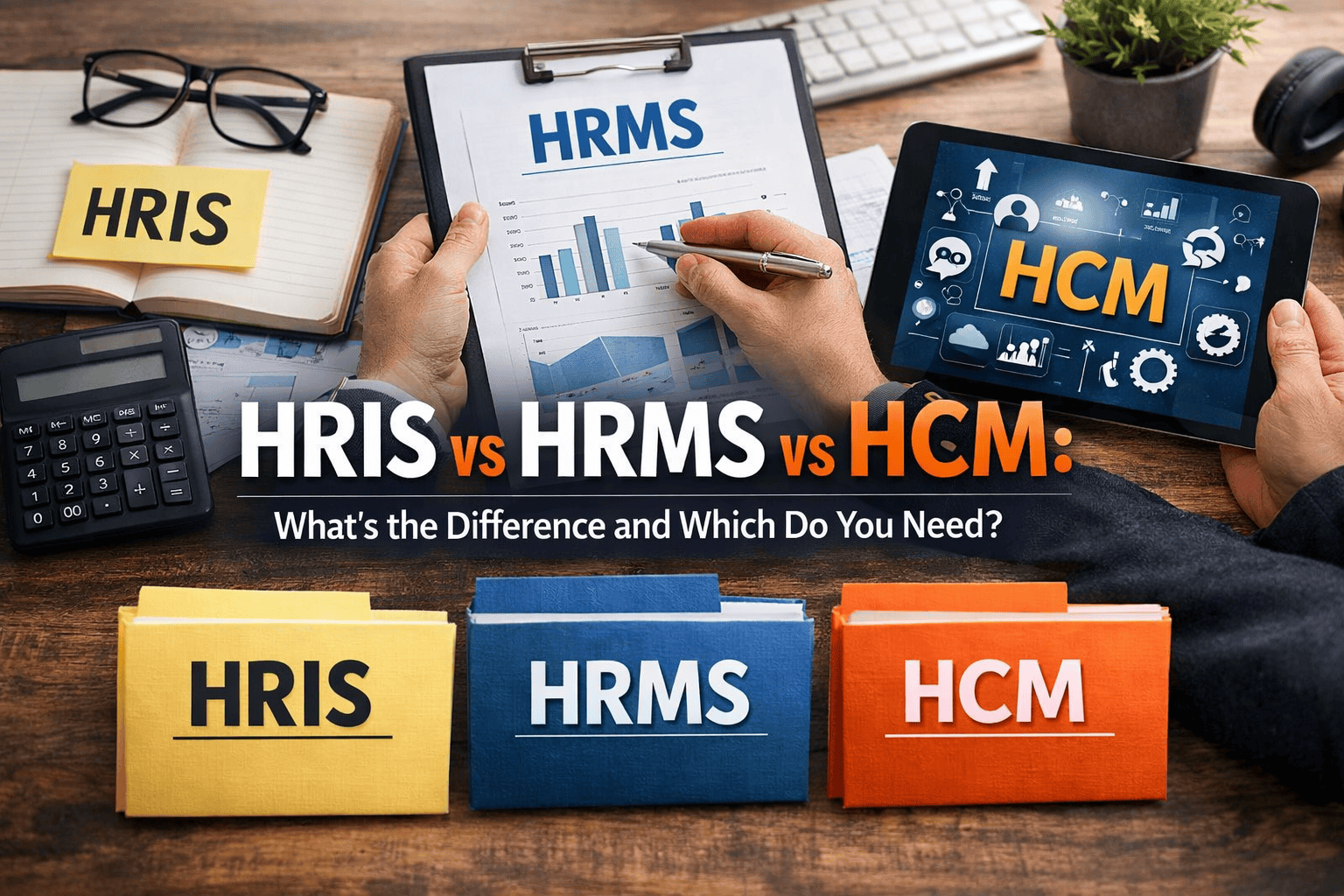
If you’ve been evaluating HR software, you’ve almost certainly hit this wall: HRIS… HRMS… HCM — aren’t these all basically the same thing? I get this question constantly from operations managers, HR directors, and founders trying to make a buying decision without getting burned.
Here’s the uncomfortable truth: most vendors use these three acronyms interchangeably — deliberately. When the terminology is blurry, it’s easier to upsell you on capability you won’t use for years. I’ve spent 17 years implementing HR systems across mid-size and enterprise businesses, from SAP SuccessFactors rollouts in Frankfurt to Workday configurations for US-based financial firms. The pattern I see repeatedly? Companies buy the wrong system because they didn’t understand which category they actually needed.
This guide will give you a concrete framework — not marketing language — to pick the right system for your company’s current stage. By the end, you’ll be able to walk into any vendor demo and immediately recognise whether they’re showing you something you genuinely need.
What Is HRIS? (And When It’s Enough)
An HRIS — Human Resource Information System — is the foundation layer of HR software. Think of it as the single source of truth for your employee data, plus basic automation for the admin tasks that eat HR’s time every week.
Core capabilities typically include employee records (personal info, job history, salary details), payroll processing or payroll integrations, attendance and leave tracking, compliance documentation, and basic reporting. That’s it. Nothing strategic. Nothing predictive. Just clean, centralised data and less manual work.
The simplest mental model: HRIS is where your HR data lives.
Tools that sit clearly in this category include BambooHR (for SMBs), Darwinbox (popular across India and Southeast Asia), and the core HR module of platforms like Zoho People. In the US market, Gusto often functions as an HRIS for companies under 50 people, bundling payroll with employee records.
Cost-wise, you’re typically looking at $4–$12 per employee per month at this tier. For a 50-person company, that’s roughly $2,400–$7,200 annually — manageable, and genuinely worthwhile if you’re still running HR from a combination of Excel and Gmail.
Startups and companies with 10–150 employees who are moving off spreadsheets. If payroll accuracy and compliance documentation are your biggest headaches, HRIS solves both without unnecessary complexity.
One thing worth stating plainly: HRIS is operational hygiene, not strategic HR. It won’t help you with succession planning or workforce analytics. But if you’re at 60 employees and you’re still manually tracking PTO in a shared Google Sheet — this is the system you need right now.
What Is HRMS? (Where Process Takes Over)
An HRMS — Human Resource Management System — builds on the data foundation of an HRIS and adds structured process management. This is where HR starts to feel like a department, not just an admin function.
You get everything in HRIS, plus: performance management cycles (goal-setting, reviews, 360 feedback), recruitment workflows and applicant tracking, structured onboarding and offboarding, employee self-service portals, and training management. The shift from HRIS to HRMS is basically the shift from “storing HR data” to “running HR processes.”
The mental model: HRMS is how your HR processes run — consistently, without depending on one person’s memory or inbox.
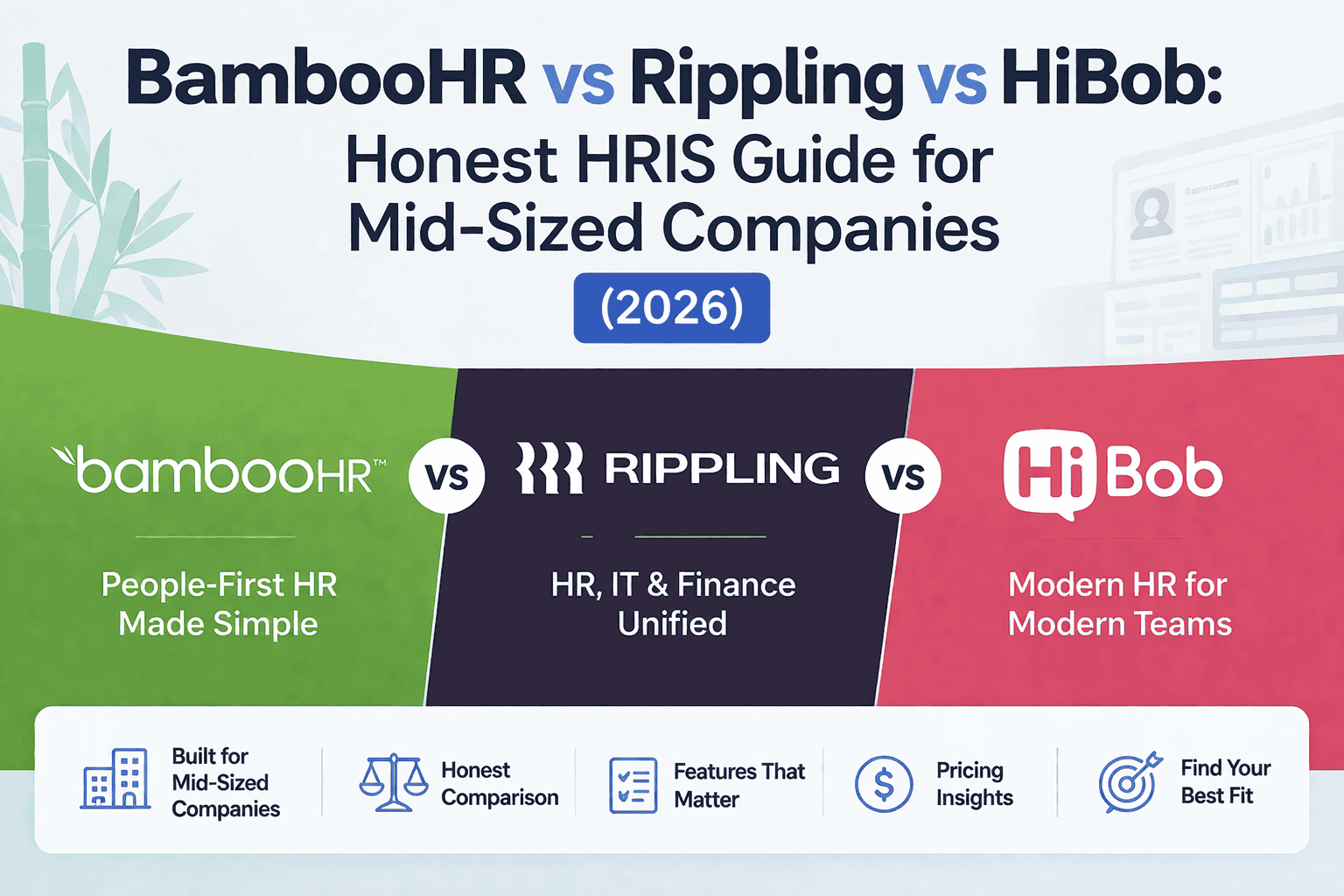
Well-known HRMS platforms include Rippling (strong in the US market, particularly for tech companies), Keka and GreytHR (dominant in India), and HiBob (growing fast in the UK and Europe). Pricing here typically runs $8–$20 per employee per month, depending on module selection.
In my experience, the jump from HRIS to HRMS is where companies see the most immediate productivity gains. The moment you systematise your hiring pipeline and performance review process, HR stops being reactive and starts being predictable. That matters enormously once you cross 100 employees.
The caveat: HRMS platforms range enormously in quality. Some are genuinely integrated suites; others are HRIS tools with a performance module bolted on as an afterthought. Always demo the specific modules you’ll actually use, not the full feature list in a sales deck.
What Is HCM? (Strategic HR, Not Just Admin)
HCM — Human Capital Management — is where we move into genuinely strategic territory. The key conceptual shift: HCM treats employees not as resources to be tracked but as capital to be developed, optimised, and retained.
On top of everything HRMS offers, HCM platforms typically include workforce planning and headcount modelling, advanced analytics and people insights dashboards, compensation benchmarking and pay equity analysis, succession planning and leadership pipeline tools, employee engagement and sentiment tracking, and increasingly, AI-driven talent intelligence (identifying flight risks, predicting performance gaps, flagging skill gaps).
The mental model: HCM is about maximising the return on your people investment — at scale.
The dominant players here are Workday HCM, SAP SuccessFactors, Oracle HCM Cloud, and ADP Workforce Now at the enterprise tier. These are not cheap — enterprise contracts typically start at $150,000–$500,000+ annually for mid-to-large organisations, and implementation costs can equal or exceed the first year’s licence fee.
HCM is overkill — and often genuinely harmful — for companies under 300 employees. I’ve seen teams of 12 HR professionals spend eight months implementing a Workday suite they use at 25% capacity. The implementation burden alone can destabilise a lean HR team for an entire year.
That said, when HCM is deployed at the right scale with the right internal capability to use it, the ROI can be significant — particularly through reduced voluntary attrition (even a 2% improvement in retention at a 1,000-person company at an average salary of $80K saves $1.6M annually in replacement costs).
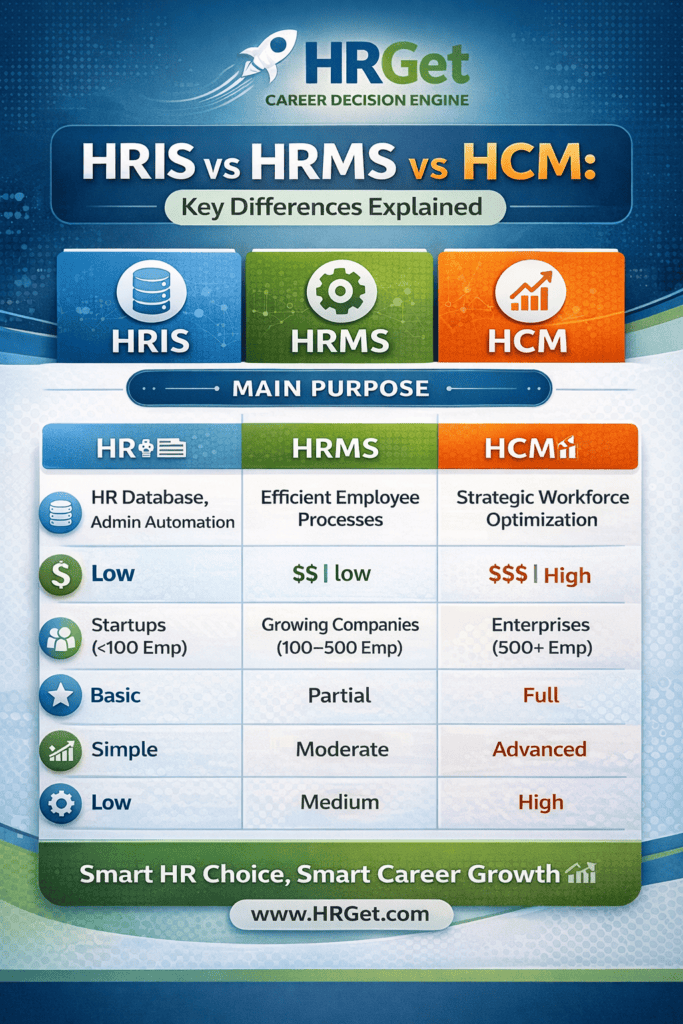
HRIS vs HRMS vs HCM: Key Differences at a Glance
Here’s the no-fluff comparison across the dimensions that actually matter when making a buying decision:
| Feature / Dimension | HRIS | HRMS | HCM |
|---|---|---|---|
| Primary Focus | Data storage & admin | Process management | Strategy & optimisation |
| Typical Company Size | 10–150 employees | 100–800 employees | 500+ employees |
| Annual Cost Range (est.) | $4–12/employee/mo | $8–20/employee/mo | $20–50+/employee/mo |
| Payroll & Compliance | ✅ | ✅ | ✅ |
| Recruitment / ATS | ❌ | ✅ | ✅ |
| Performance Management | ❌ | ✅ | ✅ |
| Workforce Analytics | Basic | Moderate | Advanced / AI-driven |
| Succession Planning | ❌ | ❌ | ✅ |
| Implementation Complexity | Low (weeks) | Medium (1–3 months) | High (6–18 months) |
| Key Vendors (2026) | BambooHR, Darwinbox, Zoho People, Gusto | Rippling, HiBob, Keka, GreytHR | Workday, SAP SuccessFactors, Oracle HCM, ADP WFN |
Real Scenario: Where Companies Go Expensive and Wrong
A SaaS startup in Bangalore — about 80 employees, growing fast, strong VC backing — decided to “invest in infrastructure” and signed a 3-year contract with an HCM suite. Their rationale: “We’ll scale to 500 in two years anyway.”
Eighteen months in: they were using payroll and leave tracking. Everything else — succession planning, workforce analytics, compensation benchmarking — sat untouched. The tool required a dedicated HRIS administrator they hadn’t budgeted for. They were paying ₹65 lakhs annually for a system doing the job of a ₹12-lakh HRIS. They didn’t scale to 500. They scaled to 130 — and the contract had two years left on it.
I’ve seen variations of this story more times than I can count, particularly in companies that raised a funding round and felt pressure to “look enterprise.” The lesson isn’t that HCM is bad. It’s that buying for your imagined future company is almost always a mistake when your current company has completely different needs.
The reverse problem also happens: a 400-person manufacturing company in the UK still running on a basic HRIS with no structured performance process, watching their best supervisors leave because there’s no visible promotion framework. They needed HRMS two years ago and waited too long.
Both mistakes are expensive. One wastes cash; the other wastes people.
Which System Do You Actually Need?
Forget headcount as the only signal — it’s a proxy, not a rule. The better question is: what problems are you trying to solve right now, and what will you be solving in 18 months?
Choose HRIS if:
- You’re still managing employee records in Excel or Google Sheets
- Payroll accuracy and compliance documentation are your biggest operational headaches
- You have fewer than 150 employees with no aggressive hiring plan in the next 12 months
- Your HR team is one person (or you’re an operator wearing the HR hat)
Goal: Operational stability. Stop things falling through cracks before you build anything strategic on top.
Choose HRMS if:
- Hiring is accelerating — you’re running 10+ concurrent job searches and it’s chaotic
- Performance reviews are inconsistent, late, or skipped entirely because there’s no system
- Onboarding is a mess of ad hoc emails and scattered documents
- You’re between 100–500 employees, or growing toward 200 within 18 months
Goal: Process efficiency. Make HR repeatable, not person-dependent.
Choose HCM if:
- You have a dedicated HR analytics team (or budget to build one)
- Workforce planning, succession, and leadership pipeline are genuine C-suite priorities
- Voluntary attrition is a material business risk and you need predictive tools to manage it
- You’re above 500 employees with complex multi-country or multi-entity HR requirements
Goal: Strategic optimisation. Make people decisions the same way finance makes capital allocation decisions — with data.
The best HR system isn’t the most powerful one — it’s the one your team will actually use. A 60% adoption rate on a sophisticated HRMS produces worse outcomes than 100% adoption of a simpler HRIS. Always demo with the end users, not just the HR director.
Smart Upgrade Strategy: Scale Without Overspending
Here’s the approach I recommend to almost every client at the evaluation stage, and it’s the opposite of what most vendors will tell you:
One more thing most buyers overlook: check whether your current HRIS or HRMS vendor offers a modular upgrade path. Platforms like Rippling and Darwinbox are designed so you can activate new modules as you grow, rather than migrating to an entirely new system. That continuity — same data, same vendor, same integrations — is worth a lot in reduced implementation pain.
Also look at integration capability before you sign anything. Your HR system will need to talk to your accounting software (Xero, QuickBooks, NetSuite), your equity management tool if you’re a startup (Carta, Ledgy), and potentially your ATS if it’s standalone. A system that plays well with others is always worth more than a feature-rich platform that sits in isolation.
Common Mistakes When Buying HR Software
I’ve watched a lot of these implementations go sideways. The failure modes are remarkably consistent:
Licensing for 500 seats at 80 employees feels prudent. It’s usually just expensive. Buy for now, with a clear upgrade path for later.
Vendors are excellent at demoing features you’ll use twice a year. Go into demos with your specific pain points — and measure the tool against those, not the full feature matrix.
A Workday implementation at a 1,000-person company takes 9–18 months with a dedicated project team. Even HRMS implementations take 6–12 weeks of HR bandwidth. That’s not “free” time — it comes out of something else.
If the self-service portal is clunky, employees won’t update their own data. Then HR is back to chasing people for information. UX matters — not just for HR, but for every manager and employee using the system daily.
Every vendor in 2026 calls their product an “HCM platform.” That’s marketing. Ask specifically: does this tool do workforce planning? Succession management? Compensation benchmarking? Get a feature-by-feature answer, not a category label.
Frequently Asked Questions
No, though the terms are often used interchangeably by vendors. HRIS focuses on storing and managing employee data — records, payroll basics, compliance. HRMS goes further by managing processes: hiring workflows, performance cycles, onboarding systems, and employee self-service. HRIS is the foundation; HRMS is the structure you build on top of it.
Partly. Vendors began using “HCM” as a more strategic-sounding umbrella term in the 2010s. But genuine HCM platforms offer capabilities that are categorically beyond HRMS — advanced workforce analytics, succession planning, AI-driven talent insights, and compensation strategy tools. If a vendor labels a basic HRMS as HCM, that’s marketing inflation. Ask to see the succession and workforce planning modules specifically.
The clearest signal is when manual HR processes start creating operational drag: hiring pipelines managed in spreadsheets, performance reviews that don’t happen consistently, onboarding that depends on one person’s memory. Typically this happens between 100–200 employees, but high-growth companies hiring rapidly may hit the inflection point earlier.
Technically yes, practically no. HCM platforms are expensive to license, complex to implement, and require internal HR expertise to use effectively. For companies under 300 employees, the ROI almost never justifies the cost and implementation burden. The exception is a company with aggressive regulatory requirements or complex multi-country operations from day one — in that case, a modular HCM approach might make sense, but it’s rare.
Many do offer modular systems that span all three tiers — Rippling, Darwinbox, and SAP SuccessFactors are examples. The smart approach is to activate only the modules you currently need, with a clear roadmap for when you’ll unlock the next tier. Avoid vendors who force you to licence the full suite upfront when you’re only using 30% of it.
For most startups under 100 employees, an HRIS in the $5–10 per employee per month range is the right call. BambooHR is widely used in the US market; Darwinbox and Keka dominate in India. Gusto works well for startups where payroll is the primary need. HRMS becomes cost-effective — and usually necessary — when hiring volume increases and you’re running structured performance cycles.
Yes, almost always. Even a basic HRIS at this size eliminates hours of manual data entry, reduces payroll errors (which are expensive to correct and damaging to trust), and creates the compliance documentation trail that protects the company during audits or disputes. The ROI calculation is straightforward: if it saves one HR hour per week at a loaded cost of $50/hour, a $300/month HRIS pays for itself in six weeks.
The Bottom Line on HRIS vs HRMS vs HCM
The HRIS vs HRMS vs HCM decision isn’t really a technology question. It’s a business stage question. What problems do you have right now? What will you have in 18 months? Answer those honestly, and the right system becomes obvious.
Start with HRIS if you’re still in operational mode. Move to HRMS when process consistency becomes the bottleneck. Evaluate HCM only when people strategy genuinely operates at the C-suite level with data to back it.
And — I can’t stress this enough — don’t buy for the company you want to be. Buy for the company you are, with a vendor who can grow alongside you without forcing a rip-and-replace every three years.
Thinking about which specific tools to shortlist? Read our deep-dive on the best HRIS software for small businesses in 2026 — ranked by ease of implementation, payroll capability, and integration flexibility.

David Schneider : HR Technology Consultant & Former Head of People Systems | Former SAP SuccessFactors Implementation Lead | HR Tech Consultant (Workday, ADP) | 17+ Years in People Systems
David Schneider has spent 17 years on the implementation side of HR technology — the part vendors never show you in the demo. As a former SAP SuccessFactors implementation lead and Head of People Systems, he has designed and deployed HRIS, payroll, ATS, and performance management systems for organisations ranging from 1,000 to 50,000 employees across Europe and North America. He has advised enterprise clients on Workday and ADP migrations, untangled integration disasters, and helped HR teams understand why they’re overpaying for tools they’re only using at 30% capacity. Based between Berlin and New York, David writes for HRGet.com to give buyers the honest, implementation-level perspective that analyst reports and vendor case studies never will.