By David Schneider — HR Technology Consultant & Former Head of People Systems | Updated April 2026
Most companies shopping for an LMS in 2026 make the same mistake: they go feature-hunting before they know what problem they’re actually solving. I’ve seen this play out across dozens of implementations — from 50-person startups to 10,000-employee global firms. Teams get dazzled by AI dashboards and interactive video tools, then six months later they’re paying for a platform that 40% of employees have never logged into.
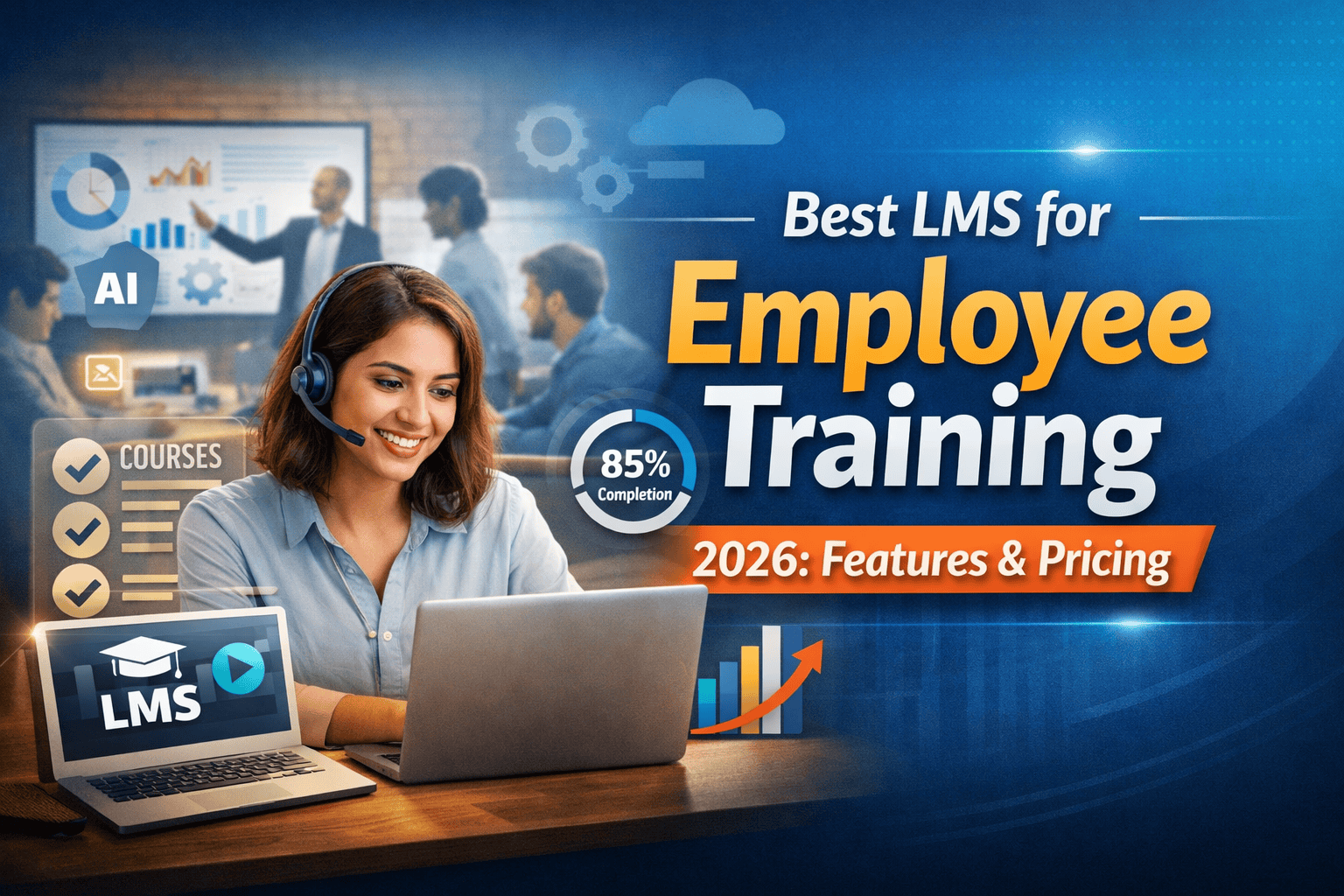
The best LMS for employee training isn’t the one with the longest feature list. It’s the one your people will actually use, that plugs into what you already have, and that doesn’t cost you three times what you budgeted once you factor in implementation and content creation.
This guide cuts through the vendor noise. I’ll tell you what actually matters when evaluating learning management systems, give you honest takes on the top platforms, and help you match the right tool to your actual situation — whether you’re a 30-person SaaS startup or a regulated manufacturing company with 2,000 shift workers.
What an LMS Actually Does in 2026 (and What It Doesn’t)
A Learning Management System is software that lets you create, deliver, track, and report on employee training — all in one place. That covers onboarding new hires, mandatory compliance courses, upskilling programs, certifications, and everything in between.
Here’s the thing most vendor demos won’t tell you: an LMS is infrastructure, not a training strategy. It stores and delivers content. It tells you who completed what. But it can’t manufacture good courses, and it won’t fix a low-engagement training culture on its own. That distinction matters enormously when you’re evaluating platforms.
In 2026, the LMS market has matured into two distinct camps. The first is traditional LMS — structured, SCORM-compatible, compliance-heavy platforms (think SAP Litmos, Cornerstone). The second is Learning Experience Platforms (LXPs), which are more Netflix-style: personalized feeds, social learning, AI-powered recommendations. Many modern tools now blend both. For most companies reading this, a solid hybrid platform with strong HRIS integration is the sweet spot.
Why does this matter now specifically? Three reasons. Remote and hybrid work means training can no longer be classroom-anchored. Skill obsolescence cycles are shorter — especially in tech, finance, and HR roles. And compliance requirements (particularly in financial services, healthcare, and manufacturing) have tightened post-2024. If your training system can’t document completion with audit trails, you have a liability problem, not just an L&D problem.
Insider View:
In my experience advising mid-market HR teams, the #1 LMS failure mode isn’t bad software — it’s buying enterprise-grade complexity for a team that needed simplicity. A 150-person company that buys Cornerstone OnDemand will spend 3 months in implementation and another 6 figuring out configuration. Meanwhile, their training backlog grows. Match platform complexity to your team’s actual capacity to manage it.
The LMS Features That Actually Impact ROI
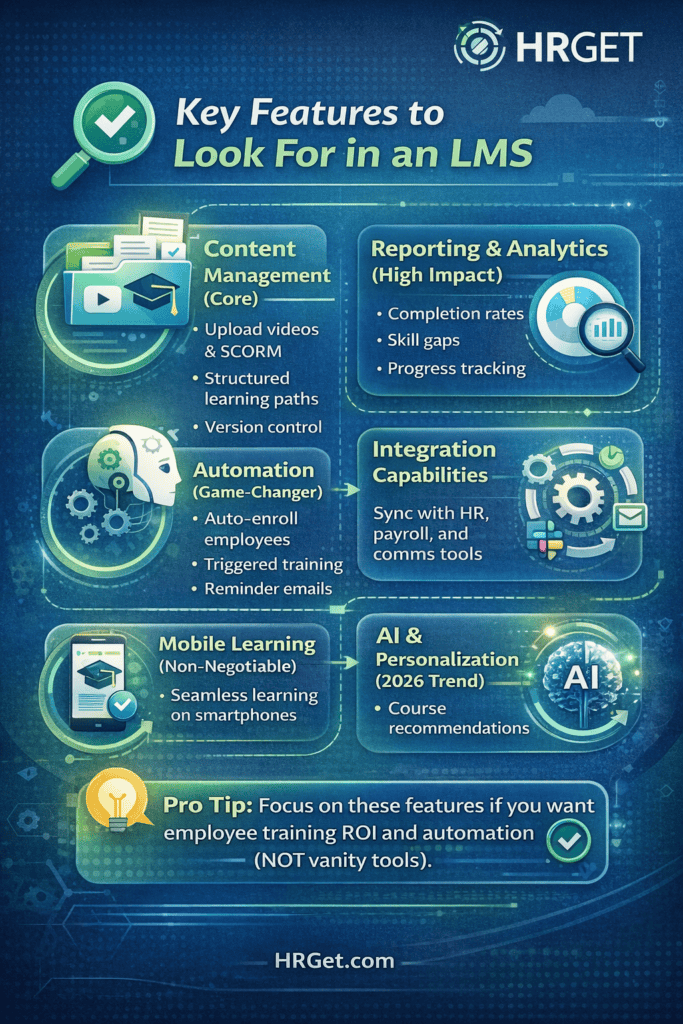
Every LMS vendor will show you a feature matrix with 60+ checkboxes. Most of those features will never get used by 90% of buyers. Here are the ones that genuinely move the needle.
Content Delivery and SCORM Compatibility
Your LMS needs to reliably play existing training content — SCORM 1.2, SCORM 2004, xAPI (Tin Can), and basic video uploads. This sounds table-stakes, but I’ve seen platforms that handle video beautifully but mangle SCORM progress tracking. If you have existing compliance courses (many healthcare and financial services companies do), test this rigorously in any demo. Ask specifically: does completion status sync correctly when a learner closes the browser mid-course?
Reporting and Analytics That HR Actually Uses
Completion rates are the minimum. The platforms that earn their price tag give you: time-spent-in-course data (so you can spot people clicking through without reading), department-level completion gaps, overdue assignment dashboards, and exportable data for your quarterly L&D reports. If you’re in a regulated industry, audit-ready compliance reports are non-negotiable — the ability to pull a timestamped completion log for any employee on demand.
Automation and Enrollment Rules
This is where good LMS platforms save HR teams 10–15 hours per week. The ability to auto-enroll employees in courses based on job role, location, or hire date — without someone manually clicking through a spreadsheet — is transformative at scale. When a new Sales Development Rep joins, they should automatically land in your SDR onboarding path. When an employee transfers to a manager role, compliance training for people managers should trigger automatically.
HRIS Integration
Your LMS should talk to your HR information system. Whether that’s Workday, BambooHR, ADP, or Rippling — bidirectional sync matters. When an employee is terminated in your HRIS, they should be deactivated in the LMS automatically. When a new hire is added, their LMS profile should populate. Without this, you’re creating a second source of truth that someone has to manually maintain, and that always goes stale.
Mobile Experience
If your workforce includes field employees, retail staff, healthcare workers, or any distributed team — mobile isn’t optional. The platform needs a genuine mobile app (not just a responsive website) with offline capability. A construction company that makes site workers complete safety training on a laptop in the break room is setting up for non-compliance.
Pro Tip:
Before you schedule demos, pull your current training completion rates. If they’re below 70%, your problem is likely content quality or course design — not the LMS. Switching platforms won’t fix disengaged learners. Fix the content first, then choose the platform that scales it.
Best LMS Platforms for Employee Training: Honest Reviews
I’ve narrowed this to five platforms that are genuinely worth evaluating in 2026. These aren’t necessarily the biggest brands — they’re the ones that consistently perform well in real-world HR deployments across different company sizes.
TalentLMS
TalentLMS has earned its reputation as the go-to platform for companies under 500 employees who need something they can actually run without a dedicated L&D team. Setup takes days, not months. The interface is clean enough that employees figure it out without a tutorial. Gamification features (badges, leaderboards, points) are surprisingly effective for engagement, particularly with younger workforces.
Where it falls short: reporting depth is limited compared to enterprise platforms. If your compliance officer needs granular audit logs or you’re managing training across multiple subsidiaries with different content libraries, you’ll hit ceilings quickly. Also, customer support response times can be inconsistent on lower-tier plans.
Bottom line: If you’re under 300 employees and need to get training running fast without a massive budget, TalentLMS is the most sensible starting point in 2026.
Docebo
Docebo has positioned itself as the AI-first enterprise LMS, and in 2026, that positioning has substance behind it. The AI content recommendations are genuinely useful — not just “here are more courses” but personalized pathways based on role, skill gaps, and learning history. The analytics suite is excellent, and the Salesforce and Workday integrations are among the most stable I’ve tested.
The honest caveat: Docebo is expensive and complex. You’ll want a dedicated LMS admin, and implementation typically runs 6–12 weeks. If you’re a 200-person company and someone pitches you Docebo because it “scales better,” push back. You’re paying for capability you won’t use for three years.
Bottom line: The right choice for companies with 1,000+ employees, dedicated L&D staff, and complex global training requirements.
LearnWorlds
LearnWorlds shines for companies where course engagement is the primary challenge. The interactive video tools — clickable hotspots, embedded assessments, branching scenarios — are genuinely best-in-class. If you’re building soft skills training, leadership development content, or customer-facing product knowledge, the learner experience here is noticeably better than generic SCORM players.
It’s worth noting that LearnWorlds started as a course marketplace platform, so some of the HR-specific integrations (like HRIS sync) aren’t as mature as purpose-built corporate LMS tools. Best for companies where content quality and learner engagement outweigh back-end automation.
Bottom line: A strong pick if your training challenge is learner engagement, not enrollment management.
Absorb LMS
Absorb sits in a sweet spot that’s genuinely underserved: it’s more powerful than TalentLMS without the implementation complexity of Docebo. The UI is clean, the reporting is solid, and the automation tools are mature. In 2026, Absorb’s AI-powered dashboard — which surfaces at-risk learners and flags completion anomalies — is a standout for L&D leads who want proactive insights rather than backward-looking reports.
Pricing is custom and leans toward the mid-to-higher range for its tier, which catches some buyers off guard after demos. Get a full pricing breakdown including implementation before you get attached.
Bottom line: The most balanced platform for 300–1,500 employee companies that have outgrown simple tools but aren’t ready for Docebo-level complexity.
SAP Litmos
If compliance is your primary driver — safety certifications, OSHA, HIPAA, anti-harassment, financial regulations — SAP Litmos is the strongest purpose-built option. The pre-built content library covers over 2,000 compliance courses out of the box. Certification tracking, automated recertification reminders, and audit-ready reporting are baked into the core product rather than bolt-on features.
The trade-off is that it feels less modern than some competitors in its UI design, and the content authoring tools for custom courses are functional but not inspiring. SAP’s enterprise integration story is strong for companies already in the SAP ecosystem.
Bottom line: The default choice for regulated industries where compliance documentation is as important as the training itself.
| Platform | Best For | Starting Price | HRIS Integration | AI Features | Mobile App |
|---|---|---|---|---|---|
| TalentLMS | SMBs <300 employees | $69/month | Basic | Limited | Yes |
| Docebo | Enterprise 1,000+ | ~$25K/year | Strong (Workday, SF) | Advanced | Yes |
| LearnWorlds | Engagement-first teams | $29/month | Limited | Moderate | Yes |
| Absorb LMS | Mid-market (300–1,500) | ~$800+/month | Strong | Good | Yes |
| SAP Litmos | Compliance-heavy industries | ~$8/user/month | Strong (SAP stack) | Moderate | Yes |
LMS Pricing Breakdown: What You’ll Really Pay
LMS pricing is deliberately opaque. Vendors price this way because “it depends” creates more sales conversations. Here’s what’s actually happening.
The Three Main Pricing Models
Per active user/month — You pay only for learners who log in during that billing cycle. Common in the $3–$12/user range. Works well for companies with seasonal or part-time workforces.
Flat subscription (seat-based) — You pay for a defined number of seats regardless of usage. Ranges from $69/month (TalentLMS, 40 seats) to $500+/month for mid-tier plans. Predictable but inefficient if many accounts go dormant.
Enterprise licensing — Annual contract negotiated based on employee count, features, and usage tier. Typically $20,000–$100,000/year. Always negotiable — ask for a 20% discount and you’ll often get 10–15% without pushing hard.
The Hidden Costs Most Buyers Miss
This is where “we budgeted $500/month and spent $3,000/month” stories come from:
- Implementation and onboarding fees: $2,000–$15,000 for enterprise platforms, sometimes rolled into contract negotiations
- Custom integration development: If your HRIS requires a custom API connector, add $5,000–$20,000 one-time
- Content creation: The LMS doesn’t come with your training content. Outsourced eLearning development runs $3,000–$10,000 per course hour
- Admin training: Rarely included; plan for 2–5 days of time from your L&D team
- Annual price increases: Most enterprise contracts include 5–8% annual increases — negotiate a cap upfront
Real cost rule of thumb: budget 1.5x–2x the annual subscription price to cover first-year total cost of ownership. This is especially true if you’re buying your first LMS and building from scratch.
Warning:
Don’t sign a multi-year LMS contract without a pilot period. Ask for a 60–90 day pilot with real users before you commit to a 2–3 year deal. Any vendor who won’t allow this is betting you’ll be too deep to switch once you’re locked in. That bet is not in your favour.
Real Scenario: How the Wrong LMS Choice Cost a Mid-Size Company $80K
Real Scenario:
A 220-person logistics company — let’s call them OpsCo — needed to modernize compliance training. Their previous system was a shared Google Drive folder with PDFs and a manual spreadsheet for tracking completions. Not exactly audit-ready.
They went with a low-cost LMS at $150/month, chosen entirely on price. No demo with real users. No integration check with their ADP payroll system. Within six months: HR was still manually tracking who completed what because the LMS and ADP didn’t sync. Two depot managers never uploaded course completions correctly. When an OSHA audit triggered a documentation request, they couldn’t produce a clean compliance log.
The penalty itself was modest — around $8,000. But the cost of switching platforms mid-year (new implementation, content migration, retraining staff on the new system) was another $35,000. And six months of lost productivity from an HR team managing two systems simultaneously — conservatively another $40,000 in labour.
The lesson: The $150/month decision cost them over $80,000 in total. The right platform at $800/month from day one would have cost $9,600 over the same period.
Smart Strategy: How to Choose the Right LMS in 4 Steps
Forget the feature comparison rabbit hole. Here’s the framework I walk every client through before they even open a vendor demo.
Step 1: Define Your Primary Training Objective
Before anything else, answer this question: what is the single most expensive training problem you have right now? It’s usually one of three things — compliance gaps and audit risk, slow onboarding (new hires taking too long to be productive), or skill development (employees can’t grow into the roles you need). Your primary objective dictates the platform type. Compliance → SAP Litmos or similar. Speed of onboarding → TalentLMS or Absorb. Skill development → Docebo or a blended LXP.
Step 2: Map Your Integration Requirements
List every system your LMS needs to connect with: HRIS, ATS, payroll, SSO provider, Slack/Teams. Then ask each vendor specifically — not “do you integrate with Workday” but “show me the data that flows between the systems and how often it syncs.” A one-way, daily sync is very different from a bidirectional, real-time integration. Get this in writing.
Step 3: Run a Real Pilot — Not a Polished Demo
Ask to run a 30-day pilot with 20–30 actual employees — ideally a mix of tech-savvy and less tech-comfortable staff. Give them real training to complete (not toy content). Measure completion rates, support tickets, and time to complete. This surfaces usability issues that no demo will reveal. Every major LMS vendor will accommodate a structured pilot if you push for it.
Step 4: Calculate Total Cost of Ownership Before Signing
Take the quoted annual price. Add implementation costs, integration development, content creation budget, and admin time (in hours × hourly cost). If total first-year cost exceeds 2.5x the subscription price, renegotiate or reconsider. And always ask: what does the renewal price look like in year 2 and year 3?
Common LMS Mistakes to Avoid
Buying based on the demo, not the pilot. Demos are designed by people whose job is to impress you. Real usage by real employees reveals the truth. Require a pilot.
Treating the LMS as the training strategy. I’ve watched L&D teams spend six months evaluating platforms while their actual training content was still a 2019 PowerPoint deck. The platform is the delivery mechanism. The content is the product. Prioritise accordingly.
Ignoring admin burden. Every LMS requires ongoing administration — adding users, updating courses, managing enrollments, generating reports. Who is doing this? If your answer is “someone on the HR team as a secondary task,” factor that into your total cost and choose a platform with automation that reduces that burden.
Overbuying on features. A 40-person startup doesn’t need AI-powered learning paths, social learning feeds, and a custom-branded mobile app. These features increase price and implementation complexity without proportional return at that scale. Buy for where you are, with room to grow — not for the company you might be in five years.
Skipping the content audit before migration. If you’re switching from an existing LMS, audit your content library first. Migrating outdated, low-quality courses to a new platform doesn’t improve training — it just moves the problem. Use the platform switch as an opportunity to retire content that isn’t working.
The Bottom Line
There’s no universally best LMS for employee training in 2026 — but there is a best LMS for your specific situation. TalentLMS wins on speed and simplicity for smaller teams. Docebo wins on AI and scale for enterprise. Absorb wins in the middle ground. SAP Litmos wins on compliance depth. LearnWorlds wins on learner experience. Match the platform to your actual problem, run a real pilot, and don’t let anyone talk you into a multi-year contract without an exit ramp.
Frequently Asked Questions
TalentLMS is the strongest pick for small businesses under 300 employees in 2026. It deploys in days, requires minimal administration, offers a free plan for up to 5 users, and scales reasonably as you grow. For companies that need compliance-specific content out of the box, SAP Litmos at ~$8/user/month is a solid alternative.
For a 100-person team, expect $200–$600/month on a mid-tier plan (TalentLMS, LearnWorlds, or similar). Factor in first-year setup costs — implementation, any content creation, and HRIS integration — and total first-year spend typically lands between $5,000–$15,000 depending on platform and complexity.
An LMS (Learning Management System) is structured and admin-driven: HR assigns courses, tracks completions, and manages compliance. An LXP (Learning Experience Platform) is learner-driven: employees discover content through personalized feeds, peer recommendations, and AI suggestions. In 2026, most enterprise platforms blend both approaches. If your primary need is compliance documentation, lean LMS. If it’s continuous upskilling and engagement, lean LXP.
Simple platforms like TalentLMS can be configured and launched in 1–2 weeks for basic use cases. Mid-market platforms like Absorb typically take 4–8 weeks with HRIS integration. Enterprise deployments (Docebo, Cornerstone) commonly run 3–6 months, especially when migrating content from a legacy system or building custom integrations.
Yes — most mid-market and enterprise LMS platforms offer native or API-based integrations with Workday, BambooHR, ADP, and Rippling. Always verify the specific integration direction (one-way vs. bidirectional), sync frequency (real-time vs. daily batch), and which fields are mapped. Request a live demonstration of the integration before signing any contract.
For remote and hybrid teams, an LMS isn’t optional — it’s the only scalable way to deliver consistent training across distributed locations. Without a centralised platform, you’re relying on managers to train inconsistently, completion tracking is impossible to audit, and onboarding quality varies wildly by location. The ROI case is stronger, not weaker, for remote organisations.
SAP Litmos is the category leader for compliance-heavy industries including healthcare, financial services, manufacturing, and construction. It offers over 2,000 pre-built compliance courses, automated recertification reminders, and audit-ready reporting. Cornerstone OnDemand is another enterprise-grade option for large regulated organisations with complex global compliance requirements.
Your LMS Decision Comes Down to One Question
What is the most expensive training failure happening in your organisation right now? Answer that honestly — not in terms of what sounds impressive in a board presentation, but in terms of what’s actually costing you money, risk, or talent — and the right LMS choice becomes much clearer.
The best LMS for employee training isn’t the one with the best demo reel. It’s the one that solves your specific problem, integrates cleanly with what you already have, and gets used by the people it’s built for. Start with a pilot, not a contract. Measure completion before you celebrate. And remember: the platform is just the delivery mechanism — the quality of your training content is still what determines whether employees grow or just click through to get the green checkmark.
If you’re still evaluating HR technology stacks more broadly, the decision doesn’t stop at the LMS — it extends to how your HRIS, payroll, and performance tools connect into one coherent people system.
📌 Related Reading: Choosing the right LMS is one piece of your HR tech stack. See our guide to the best HRIS software for small businesses to understand how your LMS fits into a broader people systems strategy.

David Schneider : HR Technology Consultant & Former Head of People Systems | Former SAP SuccessFactors Implementation Lead | HR Tech Consultant (Workday, ADP) | 17+ Years in People Systems
David Schneider has spent 17 years on the implementation side of HR technology — the part vendors never show you in the demo. As a former SAP SuccessFactors implementation lead and Head of People Systems, he has designed and deployed HRIS, payroll, ATS, and performance management systems for organisations ranging from 1,000 to 50,000 employees across Europe and North America. He has advised enterprise clients on Workday and ADP migrations, untangled integration disasters, and helped HR teams understand why they’re overpaying for tools they’re only using at 30% capacity. Based between Berlin and New York, David writes for HRGet.com to give buyers the honest, implementation-level perspective that analyst reports and vendor case studies never will.